
Ever choose to use a prompt instead of a POV because you can set a default member in prompts? What if I told you it was possible to replicate similar functionality in the POV?
I’ll use the good ‘ole Sample library of reports. Let’s pick a straight-forward one, Sample Report 1. Here is what it looks like by default:
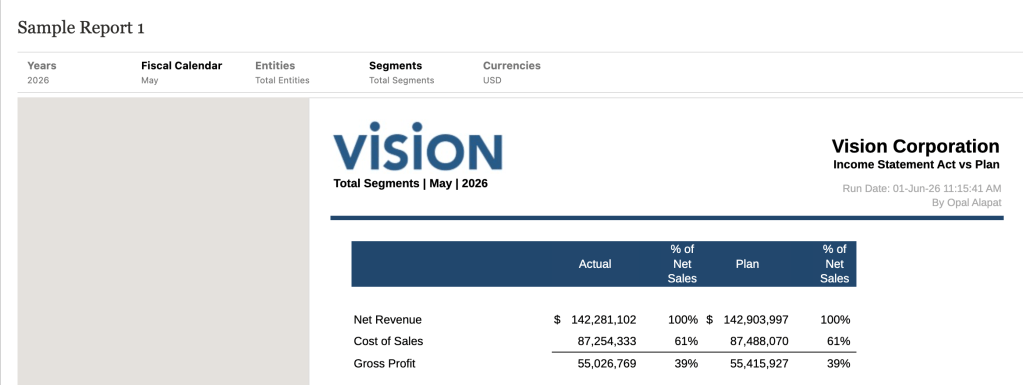
Let’s say this report allows users to select any member in the Segments dimension and Segments is not a secured dimension. So when a user opens up that Segments POV dimension, I may see something like this:
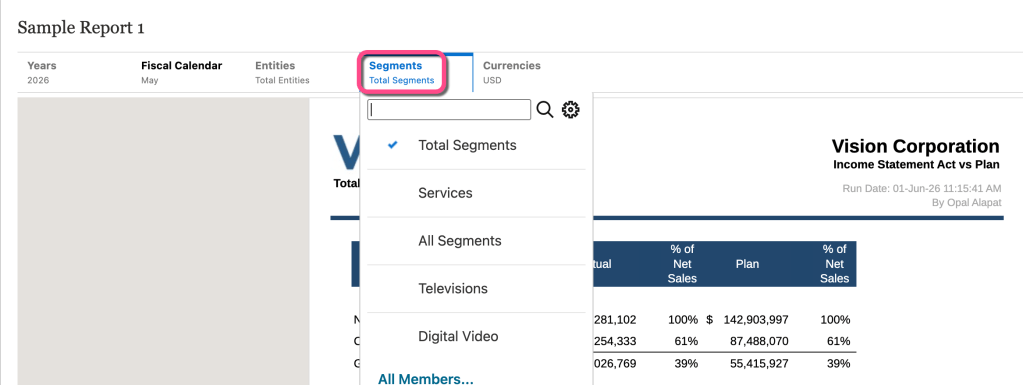
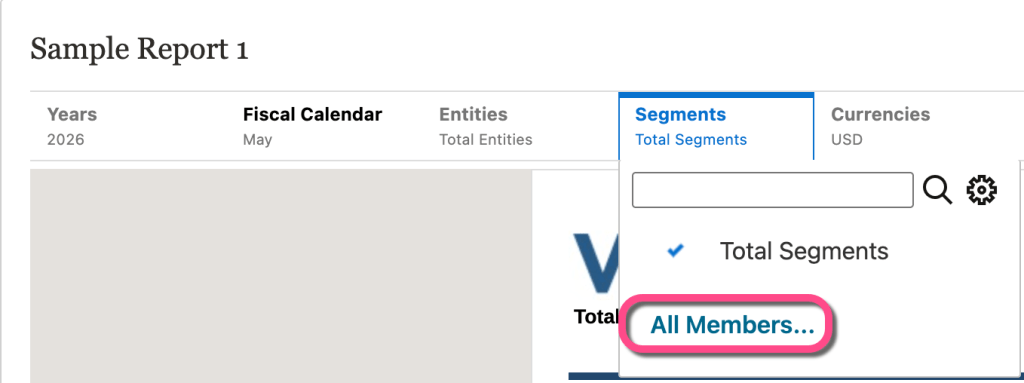
My recently used dimension members (if any) display in that dimension list. I also have the option to select All Members… at the bottom and pick any other member in the dimension that I don’t already see in my recents list.
Let’s say I switch it from Total Segments to Services.
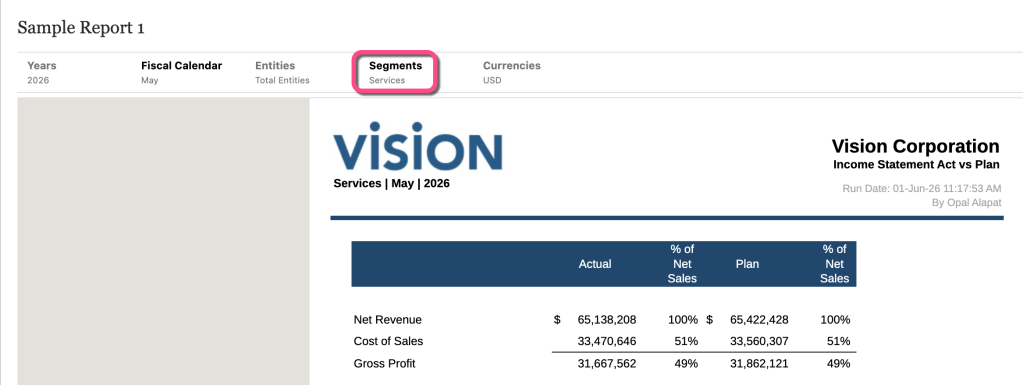
Great! Now if I were to close this report down and reopen it, I would see the Services member again, displayed by default. This is because Narrative Reporting displays the last member used in a POV dimension, which is unique by user.
But maybe I want to save the users time and override that. Maybe I want to default the report to one specific member. I still want users to select any other member from the dimension in one-off situations, but I want it to default to the member they are expecting to use most.
Note: you could handle this through a User Variable and/or Substitution Variable setup as well, but let’s say that’s not possible or optimal (for whatever reason).
So how do I set this up? It’s actually quite easy. I think the reason why most developers don’t use this feature is because it’s not obvious.
From the grid editor screen, choose the member you wish to display by default to your users. Note you can select only one member if you want the report to default to one member every time the user opens the report. If you select multiple members, Narrative Reporting will still default to the last member the user used (which, then, you don’t need this entire setup).
For this example, I’m going to select Total Segments as the default member.
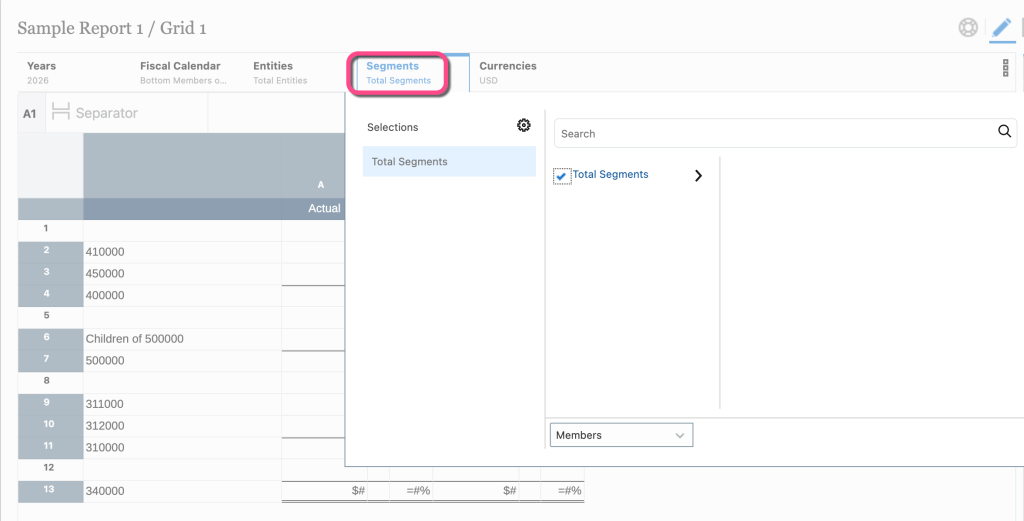
In the NR developer world, if I stopped here and saved the report, this action would hard-code the Total Segments member to the Segments POV dimension and lock it down. This means the user would not be able to select whatever they want for Segments, just Total Segments.
We don’t want that functionality. We want the user to see Total Segments by default and then also select any other member from the Segments dimension for one-off report runs. So we’re not done yet.
Next, we’re going to uncheck a very special setting that will change what happens. There is an action menu next to every POV dimension. It looks like a vertical ellipsis:
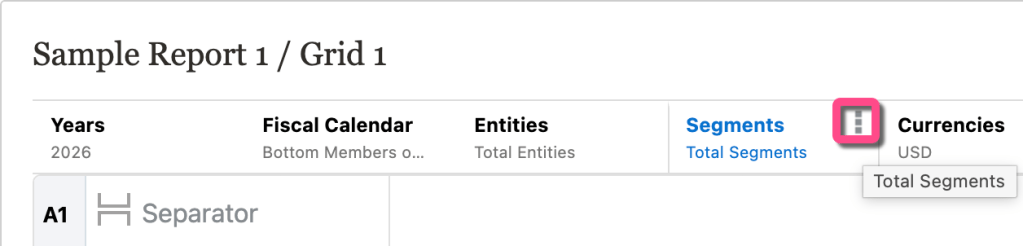
Click that and then uncheck the Display Suggestions Only setting:
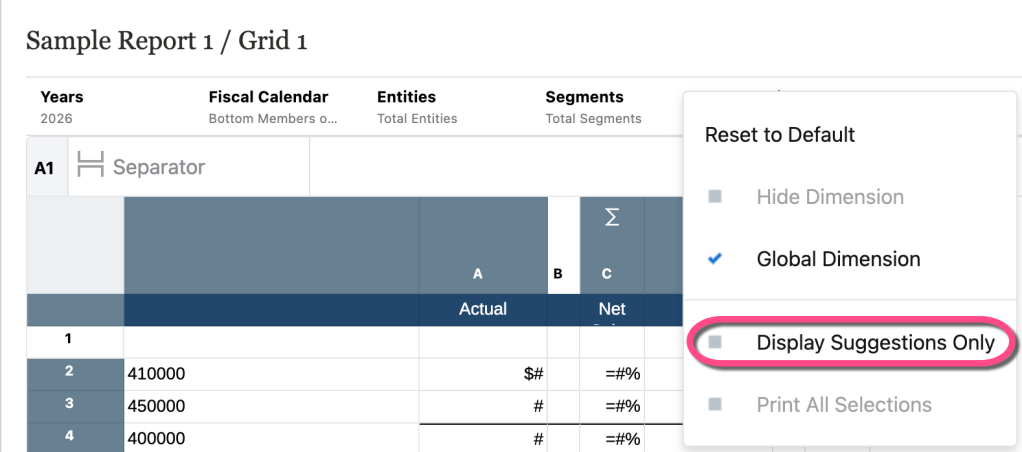
The Display Suggestions Only setting does (kinda) what it’s called. When it’s checked, only those members the developer selected for that POV dimension will be displayed. Hence, “display suggestions only” — display the members the developer selected only.
Once we uncheck this setting, the user interface will show the member the developer selected, but also give them the option to select any other member. Which means we now have a “default” member.
So now when the user runs the report, they should see the default member and they can also open the POV drop-down to select other members. Note: sometimes the default member does not work the first time the report is run. That’s ok – just have the user open the POV drop-down and select it. It should work fine from now on.
Selecting a different member will just look a little different now, which is the one drawback of using this feature. First, they will select the usual All Members… hyperlink:
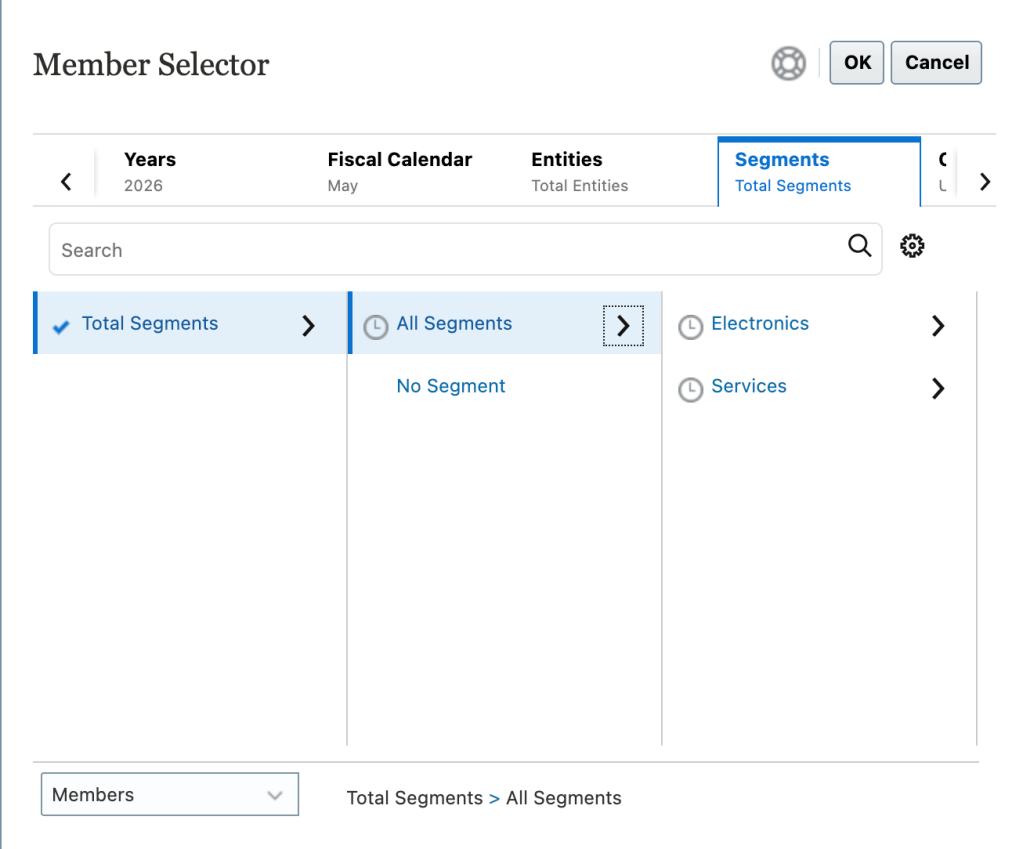
But now at the bottom of the new window, they’ll see Choice List instead of Members by default. This becomes a training issue. Users will have to understand they need to switch to Members for one-off member selection situations:
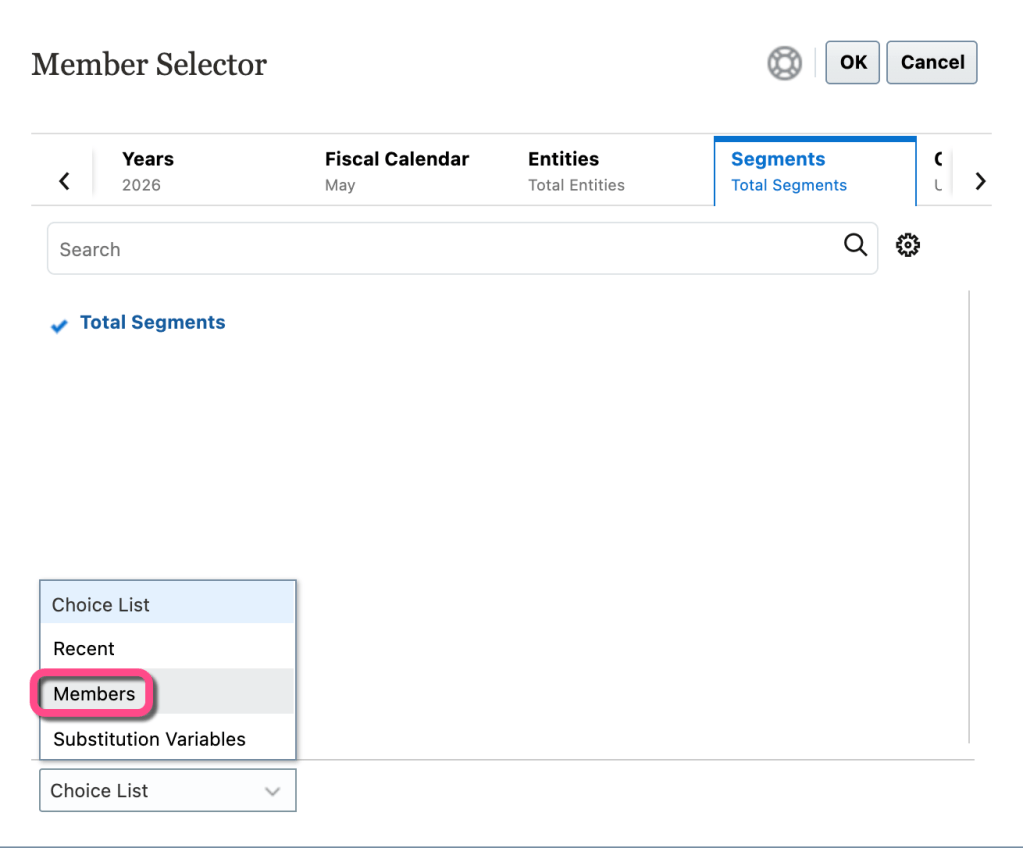
Once they switch to Members, they’ll be able to pick from the dimension hierarchy as before:
Some users don’t like “training issues” and I get it. Developing reports is always a balance between technical features and user experience.
However, if you have specific reports that should default to a single member 90+% of the time but also allow other options, I’d highly recommend using the above functionality.
Time is money. We seem to have less of both nowadays. Make your reporting tool work for your users when speed is the priority.
Enjoy!

